Haruda AlarmWake-up alarm for your morning routine
Getting up early takes more than setting an alarm. Haruda Alarm lets you set a wake-up alarm for each day of the week, log when you wake up and when you fall asleep, and see your sleep pattern.
Free · iOS · Android
Features
Wake-up alarm
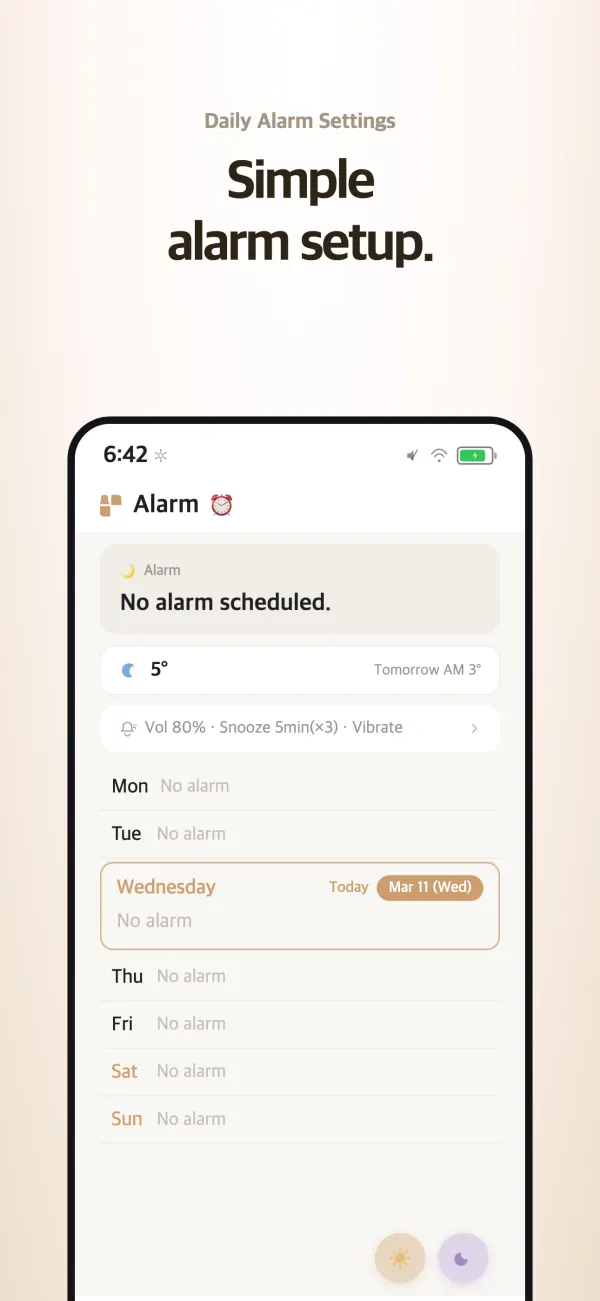
Set an alarm time for each day of the week in a few taps, and see how long until your next alarm at a glance. Choose the snooze interval, and on Android, how many times it repeats or whether to turn snooze off.
Rings even in Silent modeiOS
It rings like a system alarm even in Silent mode or when a Focus is on, and you can stop or snooze it right from the Lock Screen.
Wake-up ChallengeAndroid
The alarm stops only when you finish the challenge. Choose Random Click, where you tap targets that pop up at random, or Trace Writing, where you trace characters on the screen. You can try either one first without an alarm.
Alarm soundsAndroid
Choose the default sound, a built-in alarm sound, or your own music file. The volume rises gradually to wake you gently, and you can have the alarm play only through connected earphones.
Sleep tracking and analysis
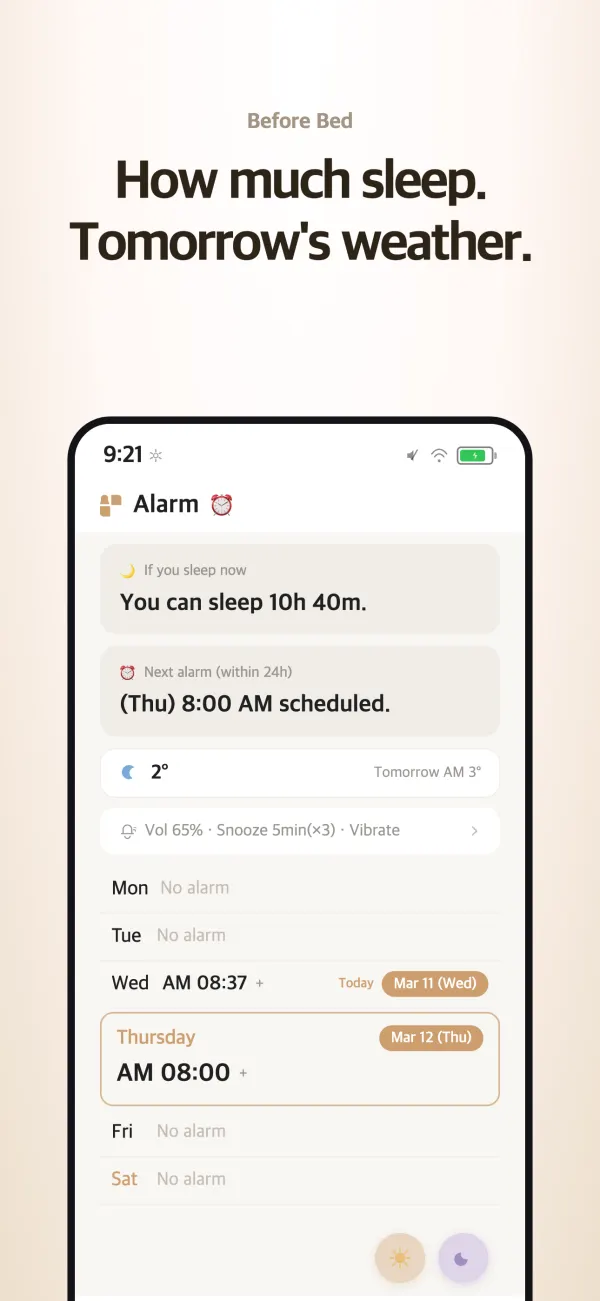
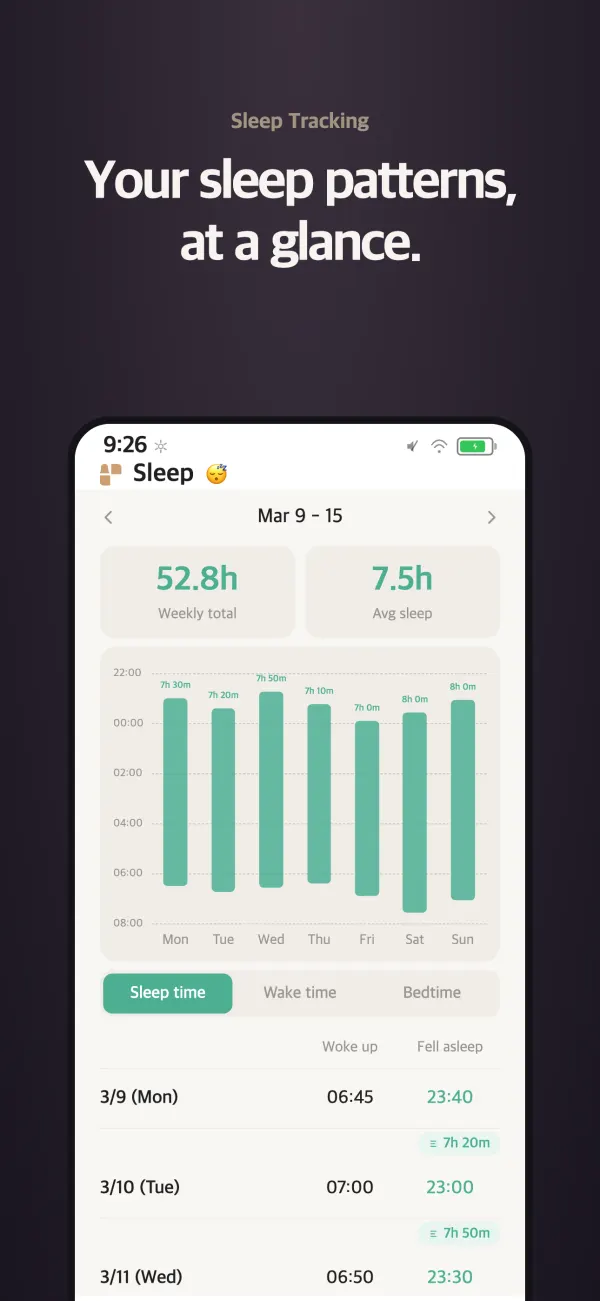
Log when you go to bed and when you wake up, and see your sleep patterns in weekly reports. Before bed, it shows how many hours of sleep you’ll get if you fall asleep now, and it can remind you to log your sleep at a time you choose.
Wake-up Card
Turn your wake-up time into a card with a photo and a message, then share it or save it to your photo library.
Widgets
Your next alarm, one-tap wake-up and bedtime logs, last night’s sleep with your 7-day trend, and your wake-up streak. On iPhone, you can also log right from the Lock Screen and Control Center.
Weather
Check current conditions, the hourly forecast, and a 5-day forecast as soon as you wake up.
Who it’s for
- —Anyone starting a Miracle Morning routine or trying to get up before dawn
- —Anyone who often turns off the alarm and falls back asleep
- —Anyone with an irregular bedtime who wants to see their sleep pattern
- —Anyone who shares wake-up check-ins with friends or a study group
Common questions
Is it free?
Yes. It’s free on the App Store and Google Play.
How does it track my sleep?
Log the time you go to bed and the time you wake up, and the time in between becomes your sleep time. You can log the current time with one tap on the widget, and you can get a reminder to log at a time you choose. Your logs come together in a weekly report.
I’m not sure what time to go to bed.
It’s easier to stick to a bedtime you work out backward from your wake-up time. Enter your wake-up time in the Haruda sleep calculator to see bedtimes that line up with your sleep cycles.
Will I lose my records if I switch phones?
If you sign in, your alarm settings and sleep records are saved to your account, so they carry over when you switch devices.